How to Get Internet in China (2026) — VPN, eSIM, Roaming, and Local SIM Compared
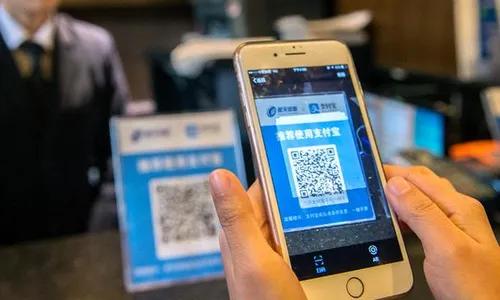
China’s internet landscape is unlike anywhere else. The Great Firewall (GFW) blocks access to Google, YouTube, Facebook, Instagram, WhatsApp, Gmail, Twitter/X, and dozens of other western services that most travelers consider essential. Meanwhile, Chinese apps like Alipay, WeChat Pay, Amap, and DiDi that you need for daily life sometimes restrict functionality when they detect a foreign IP address. Navigating this double bind (accessing western services while keeping Chinese apps working) requires the right connectivity strategy. Here is every option, compared and tested.
 Staying connected is the #1 pre-departure task for China — the Great Firewall blocks Google, WhatsApp, and other western services by default.
Quick answer: For most travelers in 2026, the easiest fix is a travel eSIM (Airalo, Holafly, or Saily). It routes your data through overseas servers and bypasses the Great Firewall automatically: no VPN to install, and Google, WhatsApp, and Instagram just work. Keep your home SIM active for calls and SMS verification. See the full comparison or pick by trip type.
How we verified this: SinoWander reads Chinese-language sources that English guides cannot, including telecom operator notices, Ministry of Industry and Information Technology rules, and traveler reports on Xiaohongshu and Zhihu. We cross-check them before writing. We have not personally tested every VPN and eSIM. Each guide is date-stamped when last verified: 2026-08-06. See our methodology.
The Five Approaches
| Method | How It Handles the Firewall | Access to Chinese Apps | Cost (7 Days) |
|---|---|---|---|
| Travel eSIM | Bypasses automatically (most providers) | May be limited by foreign IP | $4-40 |
| VPN + Chinese internet | Tunnels through VPN | Works on local network | $3-20/month |
| International roaming | Bypasses automatically | May be limited | $0-105 |
| Local SIM + VPN | Needs VPN | Full access | $4-20 |
| Hong Kong-routed SIM | Bypasses via HK servers | Full access | Varies |
Approach 1: Travel eSIM: Best for Most Travelers
This is the recommended option for 2026. Here is why: when you use an international eSIM in China, your data traffic is routed through servers outside the country. Your exit IP is not Chinese, so Google, WhatsApp, Instagram, and other blocked services work without installing a VPN. At the same time, you keep your original SIM active for calls and text messages.
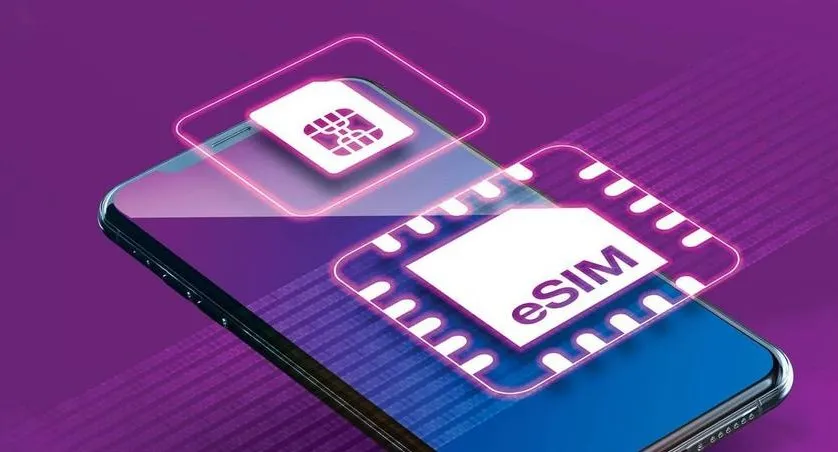 An eSIM routes data through overseas servers, restoring access to Google and WhatsApp without a VPN — the top recommendation for 2026.
Top eSIM Providers for China
Holafly: Best for unlimited data and built-in Firewall bypass
| Duration | Price | Daily Rate |
|---|---|---|
| 5 days | ~$27 | $5.40/day |
| 7 days | ~$39 | $5.57/day |
| 15 days | ~$49 | $3.27/day |
| 30 days | ~$80 | $2.67/day |
Truly unlimited data: users report consuming over 100 GB in a single day without throttling. Accesses Google, WhatsApp, and Instagram without any VPN setup. Hotspot sharing supported (with some restrictions on unlimited plans).
Airalo: Best value for moderate users
| Plan | Price |
|---|---|
| 1 GB (7 days) | $4.00 |
| 5 GB (30 days) | ~$16 |
| 10 GB (30 days) | ~$26.50 |
| 20 GB (30 days) | ~$40 |
Uses China Unicom’s network. Most plans support tethering. Not the cheapest per-GB, but the app experience is clean and setup is seamless.
Saily: Best for tethering and multi-device use
Friendly hotspot policies make Saily ideal for travelers who need to connect a laptop or tablet. Available at mid-range prices with flexible data options.
Gizmodo’s 2026 Real-World Testing (Beijing, Shanghai, Shenzhen: 14 days):
| Rank | Provider | Verdict |
|---|---|---|
| 1 | Saily | Best speed and stability overall |
| 2 | Holafly | Excellent unlimited + built-in Firewall bypass |
| 3 | Airalo | Great value, reliable coverage |
| 4 | Ubigi | Adequate |
| 5 | Nomad | Unreliable: multiple disconnections even in major cities |
Avoid: Multiple users on Reddit and travel forums report that Nomad eSIM has serious reliability issues in China, with frequent disconnections even in Beijing and Shanghai. Save your money and choose Airalo, Holafly, or Saily instead.
The Tradeoff with eSIMs
Because international eSIMs route traffic through overseas servers, some Chinese apps may detect the foreign IP and restrict functionality. Alipay, Amap (Gaode), and Meituan occasionally throw errors or limit features when accessed through a foreign IP. This is not universal and depends on the specific eSIM provider and routing.
Workaround: Use dual-SIM mode. Your original SIM handles calls and SMS (for verification codes), while the eSIM provides data. For Chinese apps that need a local IP, briefly switch to WiFi or use your primary carrier’s roaming.
Approach 2: VPN Services: For Technical Users
A VPN encrypts your traffic and tunnels it through a server outside China, restoring access to blocked services. This approach requires a Chinese internet connection first (local SIM, hotel WiFi, or other source), then the VPN running on top.
VPNs That Work in China (2026 Tested)
| VPN | Monthly Cost | Devices | China Reliability |
|---|---|---|---|
| NordVPN | ~$3.09 | 6 | High: most stable in Beijing |
| ExpressVPN | ~$6.67 | 8 | High (must configure before arrival) |
| Surfshark | ~$2.49 | Unlimited | Medium-high |
| Astrill VPN | ~$20 | 5 | High: popular among long-term expats |
Critical VPN Rules
- Install before you arrive. VPN provider websites are blocked in China. If you have not downloaded the app before landing, you cannot get it without help.
- Configure before you arrive. ExpressVPN requires setup steps (auto-connect, protocol selection) that are easiest to complete on your home network.
- Have a backup. VPN connections in China can stop working without warning: server IP blocks, protocol disruptions, or policy changes. Running two VPN subscriptions is a smart redundancy plan.
- Expect a speed hit. VPN traffic typically runs 30-70% slower than a direct connection.
- Chinese apps may break. When your VPN connects through a US or Japanese server, Alipay and WeChat Pay may flag the unusual IP and restrict your account or require re-verification.
VPN Setup Guide (NordVPN Example)
Before departure:
- Subscribe to NordVPN and download the app.
- Log in and test a connection.
- In Settings, enable Auto-Connect.
- Enable Obfuscated Servers (special servers designed for restricted networks).
- Set protocol to OpenVPN (TCP) or NordLynx.
- Enable Kill Switch (blocks all internet if VPN drops).
After arriving in China:
- Connect to WiFi or mobile data.
- Open NordVPN and connect to the recommended server (Japan, Hong Kong, and Singapore nodes typically perform best).
- Confirm the connection is active, then access blocked services.
Approach 3: International Roaming: Simplest, Priciest
When you roam on a Chinese network, your data routes back through your home carrier’s servers, which means the Great Firewall does not apply. You can access everything you normally would at home.
US Carrier Rates
| Carrier | Daily Cost | Included |
|---|---|---|
| T-Mobile (Go5G/Magenta) | $0: included in plan | 15 GB high-speed + unlimited texts + $0.25/min calls |
| Verizon | $12/day | Unlimited talk, text, data |
| AT&T | $15/day | Uses your domestic plan quota |
T-Mobile customers have an extraordinary advantage here. If your plan includes international roaming, China costs you nothing extra for data and texts. For Verizon and AT&T users, a week of roaming runs $84-105.
Downsides of Roaming
- Expensive for non-T-Mobile users
- Speeds may be lower than local connections
- Data is routed internationally, which can add latency
- Chinese apps generally work fine because your phone is on a Chinese partner network
Approach 4: Local SIM Card: Best for Chinese Apps
A local SIM card gives you the fastest speeds, best coverage, and full compatibility with every Chinese app. The tradeoff: all traffic passes through the Great Firewall, so you need a VPN to access western services.
Which Carrier
| Carrier | Strengths | For Foreigners |
|---|---|---|
| China Unicom | Best international device compatibility, WCDMA network | Top recommendation |
| China Mobile | Widest coverage, essential for rural/remote areas | Second choice |
| China Telecom | Competitive pricing, stable quality | Third choice |
Purchase Process
- Bring your passport to an official carrier store (available at airports and throughout cities).
- Complete real-name registration (passport scan + facial recognition: required by law).
- Select a prepaid plan.
- Staff activates the card on the spot.
Pricing
- China Unicom: 39 yuan/month ($6) for 220 GB
- Tourist SIM cards: 30 yuan ($4) for 3 GB over 3 days
Local Tip: If you plan to be in China for more than two weeks and need reliable access to both Chinese and western services, the most effective setup is a China Unicom monthly plan for local apps and daily life, paired with a VPN subscription for accessing blocked services. Total cost: roughly $10-15/month.
Approach 5: Hong Kong-Routed SIM Cards
Some special prepaid SIM cards from China Mobile and China Unicom route all data through Hong Kong servers. The result: you appear to be browsing from Hong Kong, bypassing the Firewall while still maintaining full compatibility with Chinese apps. These are popular among Chinese business travelers and expats.
Pros: No VPN needed, both Chinese and western apps work. Cons: Higher cost than standard local SIMs, limited purchase channels, and speeds may be slower than direct local connections.
Speed Comparison (Real-World Estimates)
| Method | City Download | Rural | Stability |
|---|---|---|---|
| Local SIM (direct) | 50-300 Mbps | 10-50 Mbps | Best |
| eSIM (roaming) | 20-100 Mbps | 5-20 Mbps | Good |
| International roaming | 15-80 Mbps | 5-15 Mbps | Good |
| VPN + local network | 10-50 Mbps | Unpredictable | Variable |
| HK-routed SIM | 20-80 Mbps | 5-20 Mbps | Good |
On high-speed trains, local SIMs perform best. eSIMs and roaming work adequately but may drop in tunnels. VPN connections are the least reliable on moving trains.
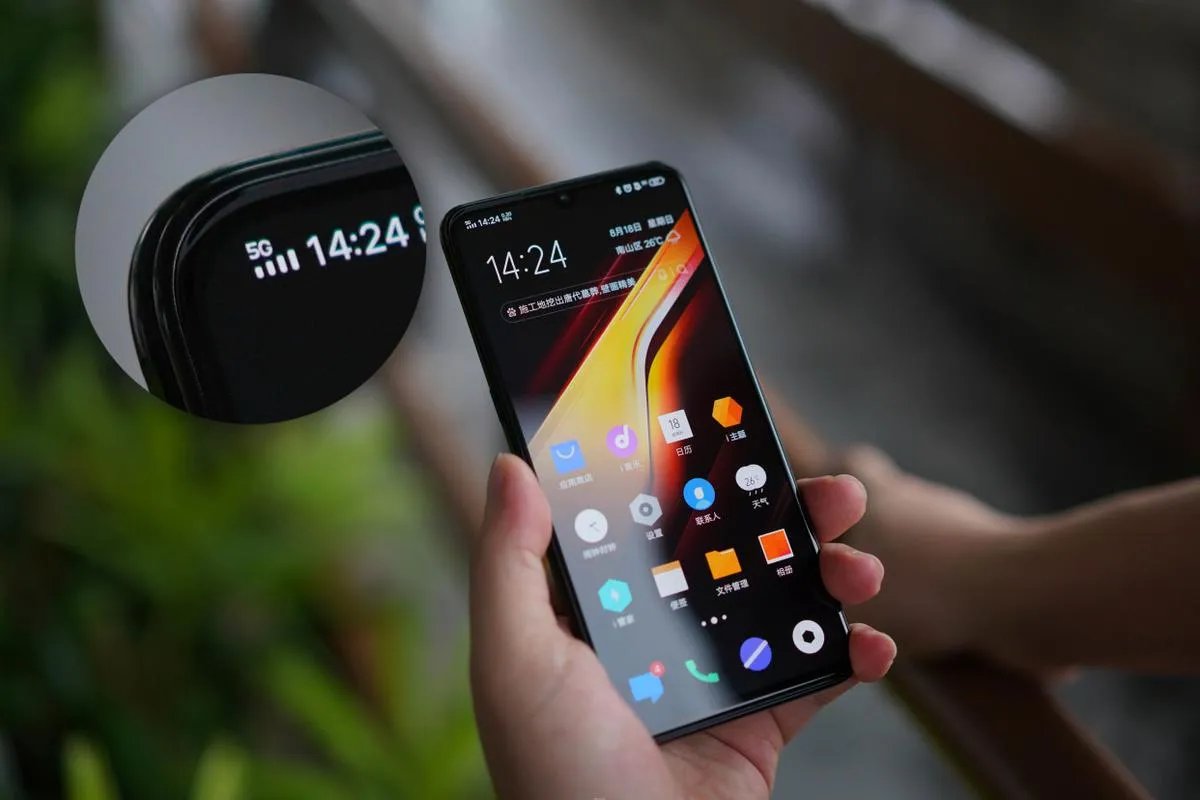 A 5G signal on a local SIM — local connections deliver the fastest city speeds, often 50–300 Mbps.
Recommended Combinations by Trip Type
Best overall for most travelers: a travel eSIM (Airalo, Holafly, or Saily): no VPN needed, works the moment you land. The combinations below fine-tune that choice by trip length.
Short Tourist Trip (1-7 Days)
Solution: Holafly or Airalo eSIM
- Install before departure, activate on arrival
- Automatic Firewall bypass, no VPN needed
- Keep original SIM for calls and SMS
- Budget: $15-40
Medium Stay (1-4 Weeks)
Solution: eSIM + local SIM (dual-SIM phone)
- eSIM for western services (no VPN)
- Local SIM for Chinese apps (Alipay, Amap, DiDi)
- Budget: $30-80
Long-Term Stay (1+ Months)
Solution: China Unicom local plan + NordVPN
- 39 yuan/month for 220 GB local data
- VPN for accessing western services
- Best speeds and lowest long-term cost
- Budget: $10-15/month
Business Travel
Solution: T-Mobile roaming (if available) + eSIM backup
- T-Mobile: free roaming with built-in Firewall bypass
- Others: premium eSIM (Airalo or Saily) for reliability
- VPN as emergency backup
- Budget: $0-40
Ultra-Budget
Solution: MobiMatter or RedteaGO eSIM
- From $0.30-0.50 per GB
- Combine with free WiFi at hotels and cafes
- Budget: $5-15 for a short trip
Practical Information
| Item | Details |
|---|---|
| eSIM device requirements | iPhone XR+; most 2020+ Android flagships |
| Phone must be carrier-unlocked | Yes, for both eSIMs and local SIMs |
| Daily data needs | Light: 1-2 GB. Moderate: 2-4 GB. Heavy: 5+ GB |
| Always have a backup plan | At minimum, prepare two connectivity solutions |
| Download everything before arrival | Apps, offline maps, VPN software, eSIM QR codes |
Legal Considerations Regarding VPNs
China’s cybersecurity laws regulate the use of VPNs, and unauthorized VPN services are technically prohibited from operating within the mainland. In practice, enforcement has historically targeted operators and distributors of unauthorized VPN services (companies and individuals selling VPN access within China) rather than individual foreign tourists using VPNs to access their personal email or social media accounts.
That said, the legal landscape can shift, and this guide does not constitute legal advice. If you choose to use a VPN while in China, be aware of the following:
- Download and install VPN software before entering China: attempting to download it from within the country may be difficult (provider websites are blocked).
- Avoid discussing VPN use with strangers or posting about it on Chinese social media platforms.
- Some VPN providers (NordVPN, ExpressVPN) offer obfuscated servers specifically designed to avoid detection. Enable this feature.
- If a VPN connection drops unexpectedly, your traffic reverts to the regular Chinese internet. A “kill switch” feature (available on most paid VPNs) blocks all internet traffic when the VPN disconnects, preventing accidental exposure of your browsing.
For travelers who prefer to avoid VPNs entirely, the travel eSIM approach (described in Approach 1) provides Firewall-free internet without installing any special software.
Final Checklist Before You Fly
| Priority | Action Item |
|---|---|
| Critical | Purchase and install a travel eSIM (Airalo, Holafly, or Saily): scan the QR code and save a screenshot backup |
| Critical | Download Alipay, WeChat, Amap, DiDi to your phone |
| Important | Install a VPN app and configure it with obfuscated servers (as a backup) |
| Important | Download offline translation packs in Baidu Translate and Pleco |
| Helpful | Save offline maps in Amap or Baidu Maps for your first destination |
| Helpful | Take screenshots of hotel addresses in both English and Chinese |
Avoid: The single biggest mistake travelers make is arriving in China with no connectivity plan. You cannot download apps, you cannot navigate, you cannot pay for anything, and you cannot call a ride. Spend 30 minutes before your flight to install your eSIM, download essential apps, and set up your VPN. Your future self will thank you.
Information compiled in June 2026. Network conditions, VPN availability, and eSIM pricing may change. Test your setup before departure and always have a backup plan.
 Setting up a travel eSIM before departure — the recommended connectivity approach for 2026.
Sources & Verification
This guide was last verified on 2026-08-06. Key Chinese-language sources:
- Airalo / Holafly / Saily: Travel eSIM products and how their overseas-server routing bypasses the Great Firewall without a separate VPN.
- 中国联通 / 中国移动 (China Unicom, China Mobile): Local SIM plans and how foreign IP detection affects Alipay, WeChat Pay, and DiDi.
- 工信部 (Ministry of Industry and Information Technology): Rules governing foreigner connectivity and VPN compliance.
- 小红书 and 知乎 (Xiaohongshu, Zhihu): Traveler reports on which VPNs and eSIMs actually work in 2026 and at what speed.
See our full verification methodology.
Related Articles
- China SIM Card vs. eSIM (2026): Detailed provider pricing and plan comparison
- What Apps to Download Before Going to China — Essential apps that need internet to set up
- China Travel Safety Tips (2026): Includes internet and VPN safety considerations